QR Codes Built Into Your CRM
Create, customize, and track dynamic scannable codes directly inside the platform. Change destinations without reprinting, link to any CRM asset, bulk-generate thousands of branded codes from a CSV, and turn every scan into an automated workflow trigger — replacing Bitly and QR Code Generator at no extra cost.
Everything a QR Code Tool Should Be
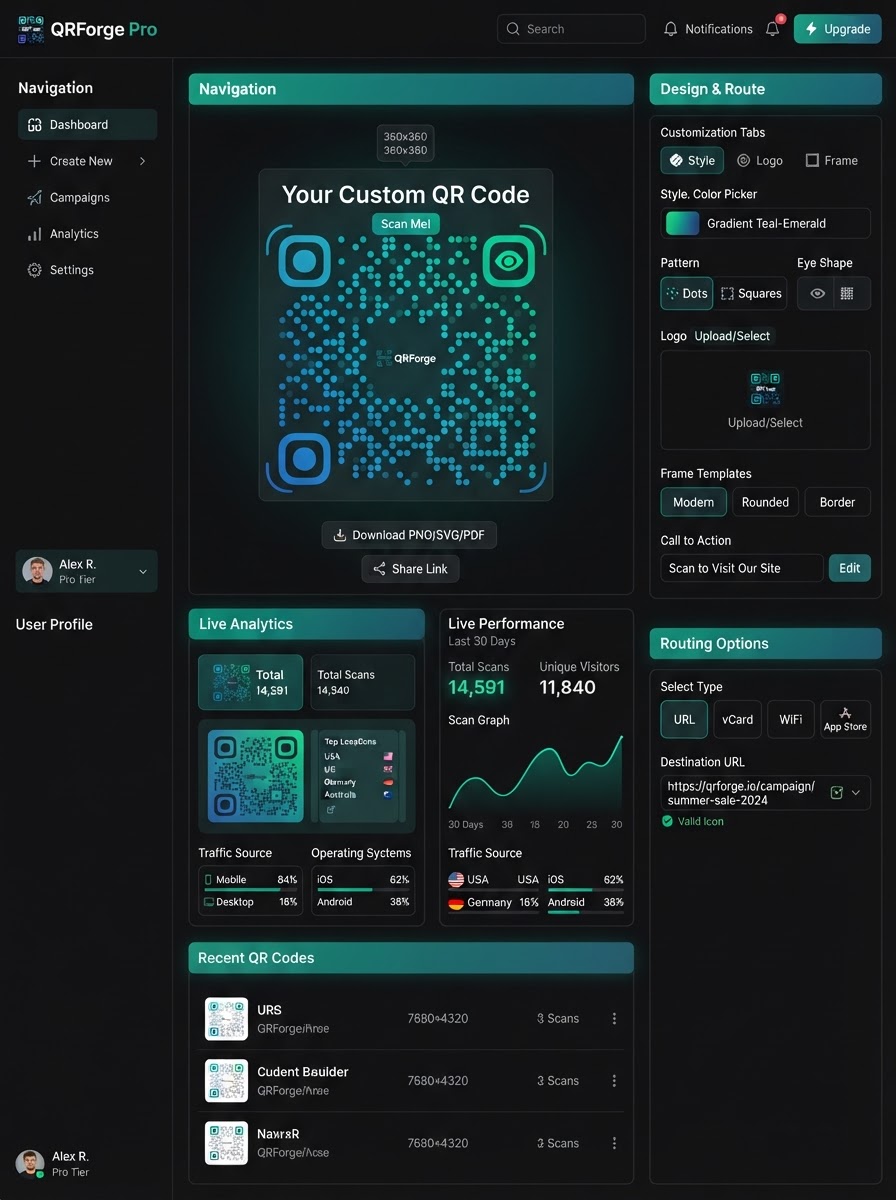
Dynamic destinations, built-in CRM routing, full branding, professional exports, bulk creation, and analytics-driven automation — all native, no third-party subscriptions.
Dynamic Destinations
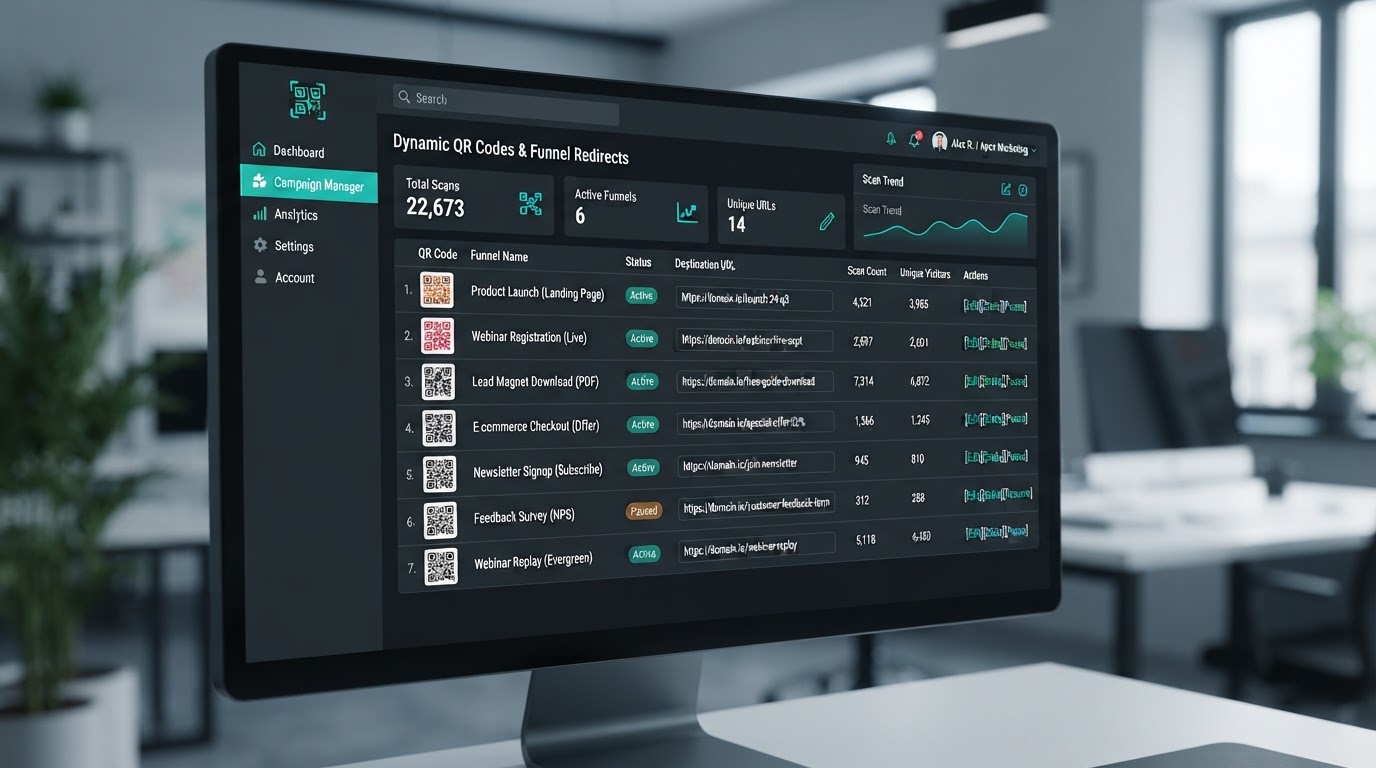
QR codes are dynamic — change the destination URL at any time inside the builder without generating a new image. Print a QR code on 1,000 physical flyers today, then redirect where that code points next month without needing to reprint a single piece of marketing material. One code, infinite destinations.
Built-In Routing Options
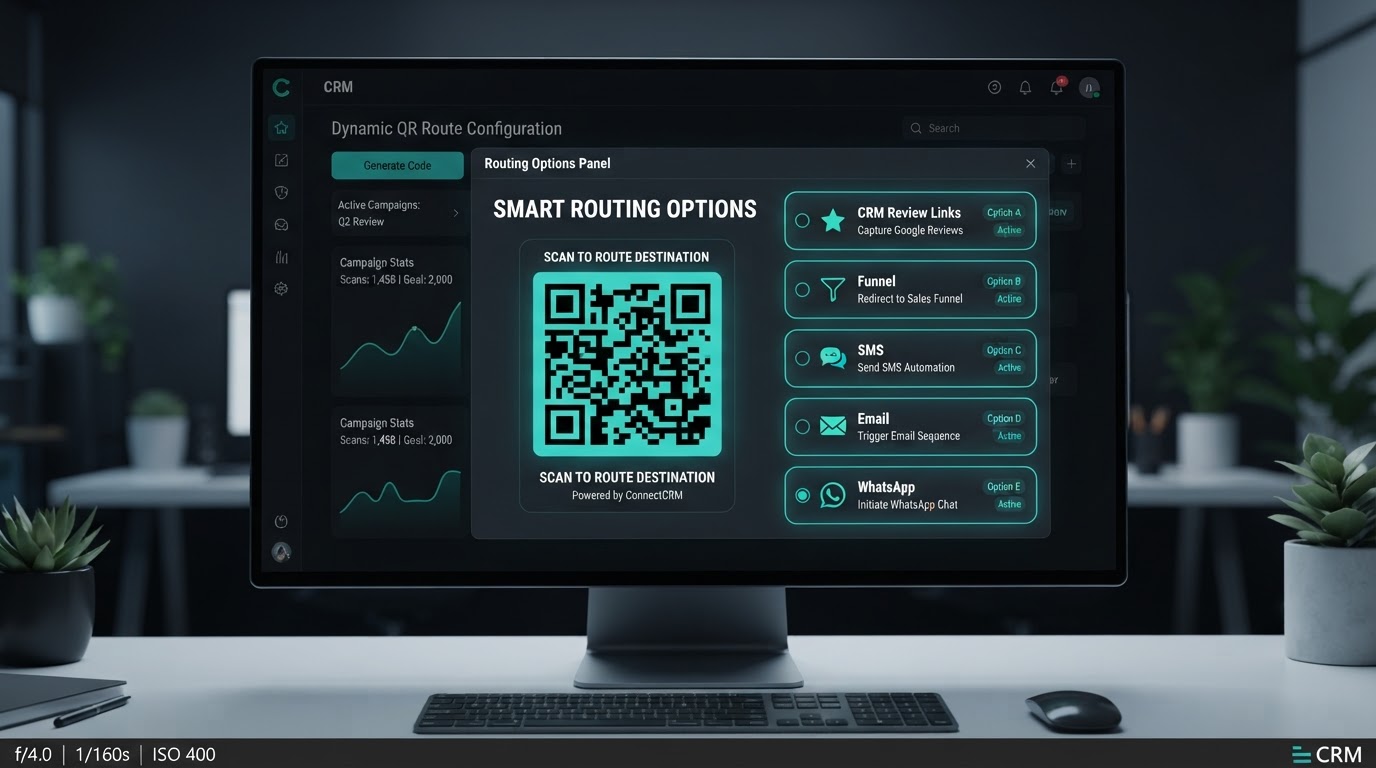
Instead of just linking to standard web URLs, instantly connect codes to internal CRM assets: review links (Google or Facebook), specific funnel steps or website pages, pre-drafted SMS / email / phone / WhatsApp messages, and lead capture forms, surveys, or payment checkout links. Every code is a direct pipeline entry point.
Advanced Customization & Branding
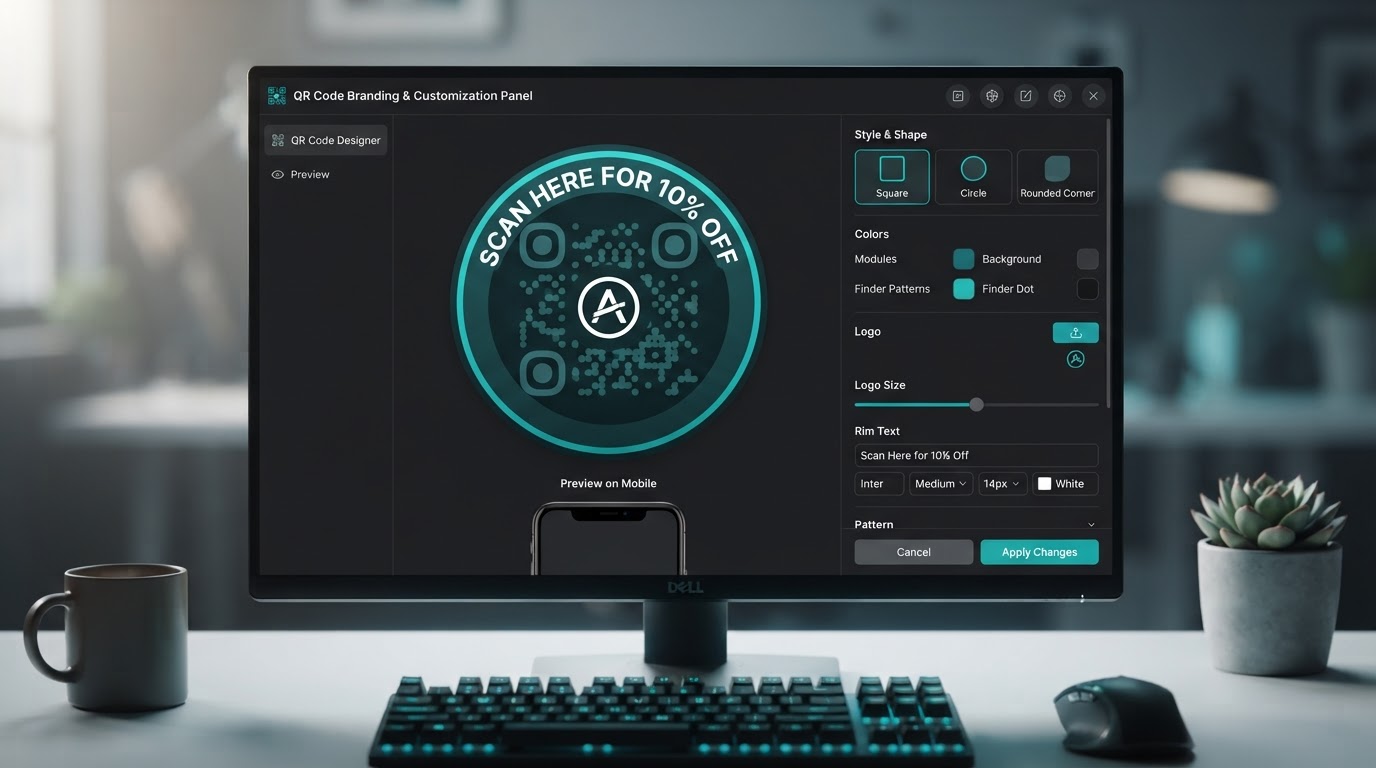
Fully design codes to match your brand identity. Change the background color and data dot colors, select corner marker shapes (square, circle, or rounded), upload a custom company logo or background image to sit in the center, and add a text rim border like 'Scan Here for 10% Off' around the outside of the code.
Professional Export Formats
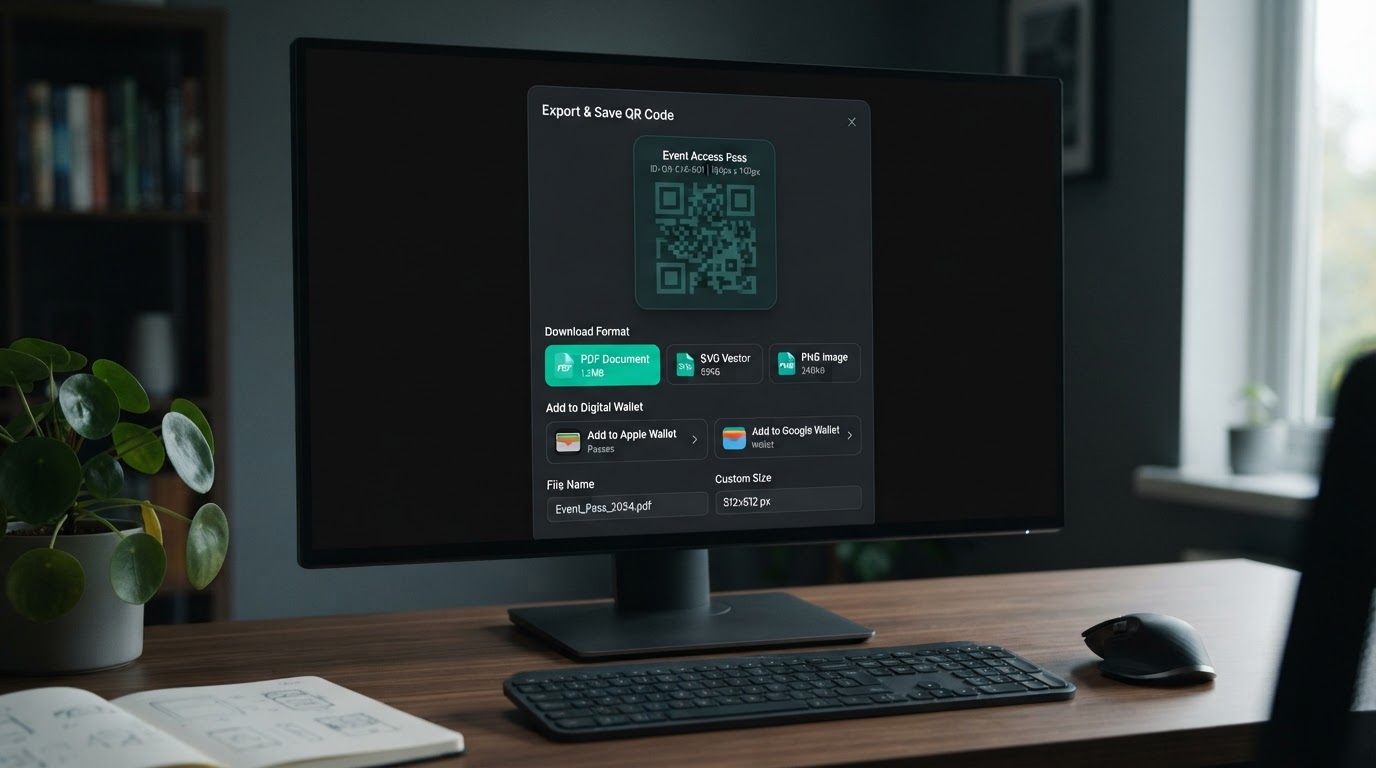
Download codes as a PDF, SVG for high-resolution professional printing, or a PNG with 100% transparency. Save codes directly to Apple Wallet or Google Wallet so customers can keep your offer on their phone. Every format is production-ready for print, digital, or in-store display.
Bulk Creation for Agencies
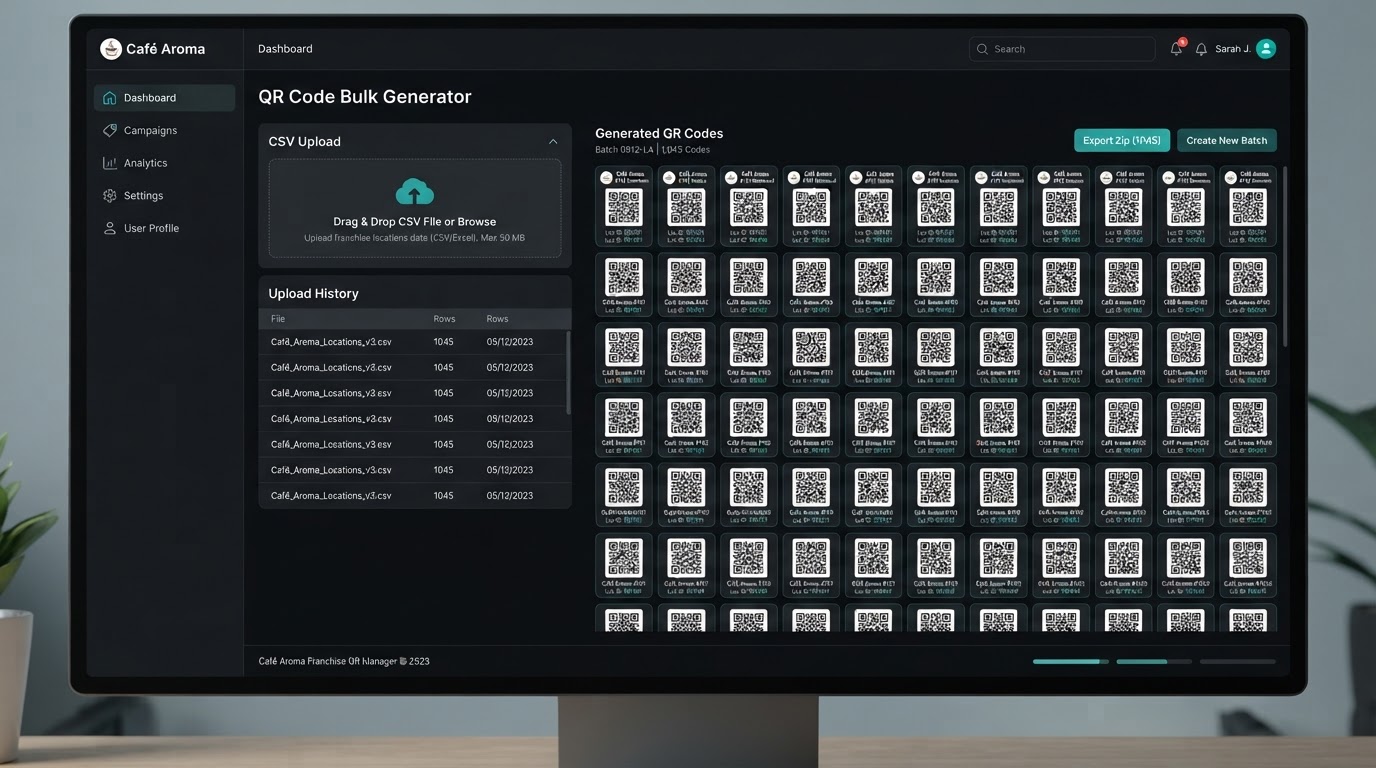
For agencies running campaigns for franchises or multi-location businesses, the bulk creation feature lets you upload a simple CSV file with a list of names and URLs. The system instantly generates thousands of ready-to-download, individually branded QR codes at once — no manual generation required.
Analytics Tracking
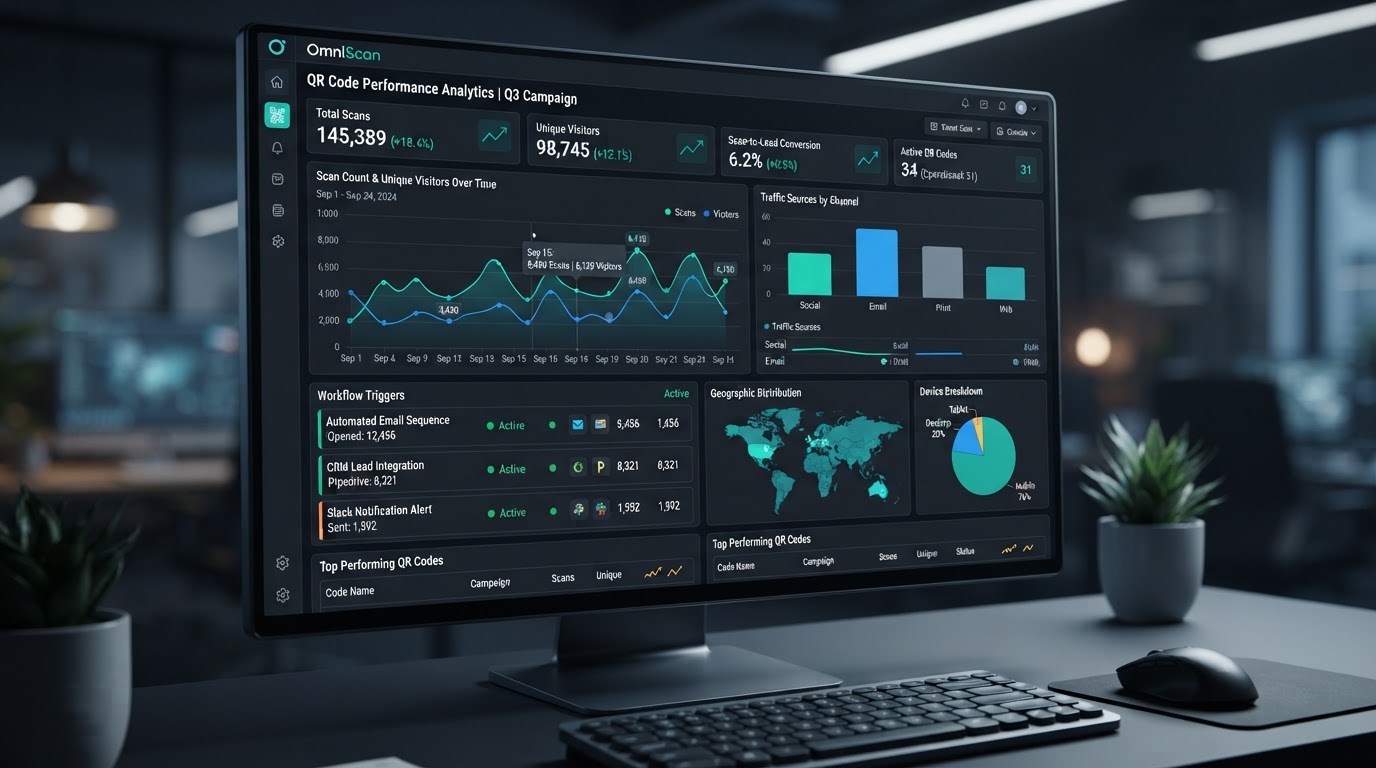
A built-in analytics dashboard tracks both total scans and unique scans for every code. Because the scanner lands on a CRM asset, their scan can instantly trigger backend Workflows to automate follow-ups — tag the contact, send a text, notify your sales team, or drop them into a pipeline stage.
From Design to Automated Scan in Three Steps
Build branded codes, route them to any CRM asset, and let every scan trigger your automation — all without leaving the platform.
Design & Customize
Build fully branded QR codes with custom background colors, data dot colors, corner marker shapes, a center logo, and a text border around the outside. Match any brand identity precisely and export as PDF, SVG, or transparent PNG — or save directly to Apple Wallet and Google Wallet.
- ✓Custom background, dot colors & corner shapes
- ✓Center logo or background image upload
- ✓Rim text border like 'Scan Here for 10% Off'
- ✓Export as PDF, SVG, PNG or save to Wallet apps
Route & Deploy
Connect every code to internal CRM assets — review links, funnel steps, website pages, pre-drafted SMS / email / WhatsApp, forms, surveys, or checkout links. Destinations are dynamic, so you can change where a code points at any time without reprinting. Upload a CSV and bulk-generate thousands of codes instantly.
- ✓Dynamic URLs — change destinations without reprinting
- ✓Link to reviews, funnels, forms, SMS, email & WhatsApp
- ✓Bulk CSV upload generates thousands of codes at once
- ✓Auto-updates when you change a funnel domain or page slug
Track & Automate
The built-in analytics dashboard tracks total scans and unique scans for every code. Because each scan lands on a CRM asset, it can instantly trigger backend Workflows — tag the contact, send a follow-up text, notify your sales team, or move them into a pipeline stage. Every scan becomes an automated touchpoint.
- ✓Total & unique scan counts per code in real time
- ✓Every scan triggers CRM Workflows automatically
- ✓Tag, text, notify reps & move pipeline stages on scan
- ✓Full visibility into which campaigns drive the most scans
Real-World QR Code Campaigns
See how businesses use dynamic, CRM-linked QR codes to drive reviews, redirect print campaigns, and scale across multiple locations — all tracked and automated.
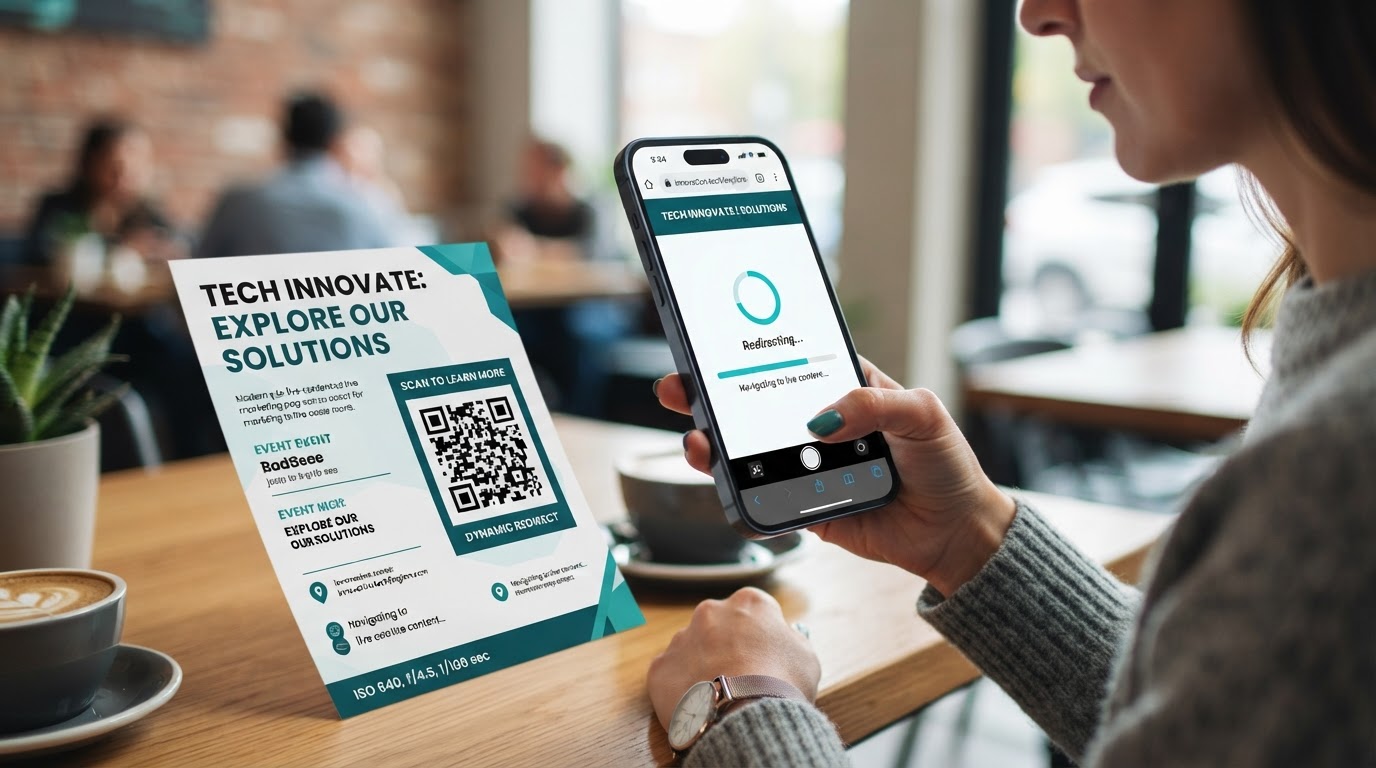
Printed Flyer Redirects
A dental clinic prints QR codes on 5,000 seasonal flyers linking to a new-patient booking funnel. Mid-campaign, they swap the destination to a limited-time discount page — without reprinting a single flyer. The dynamic redirect updates every printed code instantly, and analytics show which neighborhoods scanned the most.
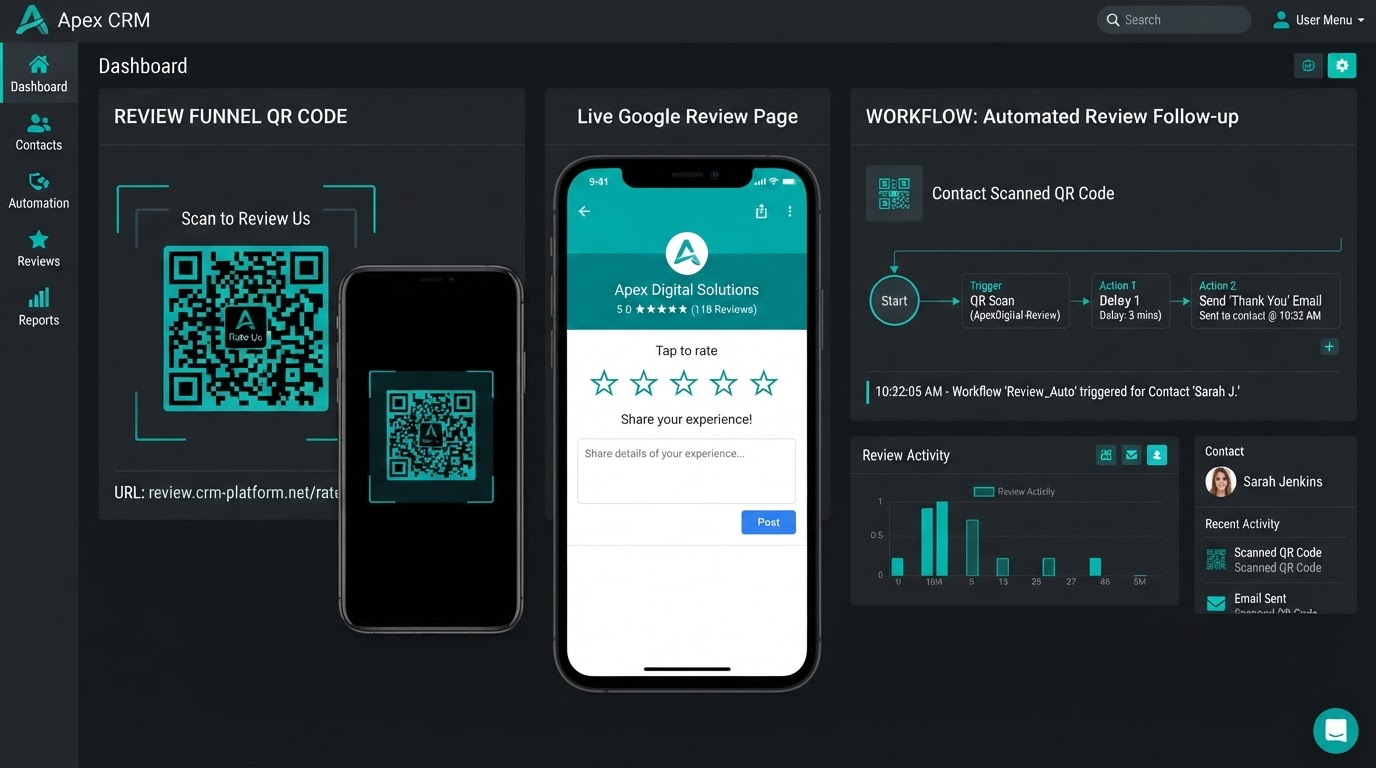
Review Funnel at the Counter
A med spa places branded QR code table tents in their lobby, each routing directly to their Google review page. Every scan is tracked, and when a customer leaves a 5-star review, a Workflow fires automatically — thanking them via SMS and notifying the front desk. No manual review requests, no third-party tools.
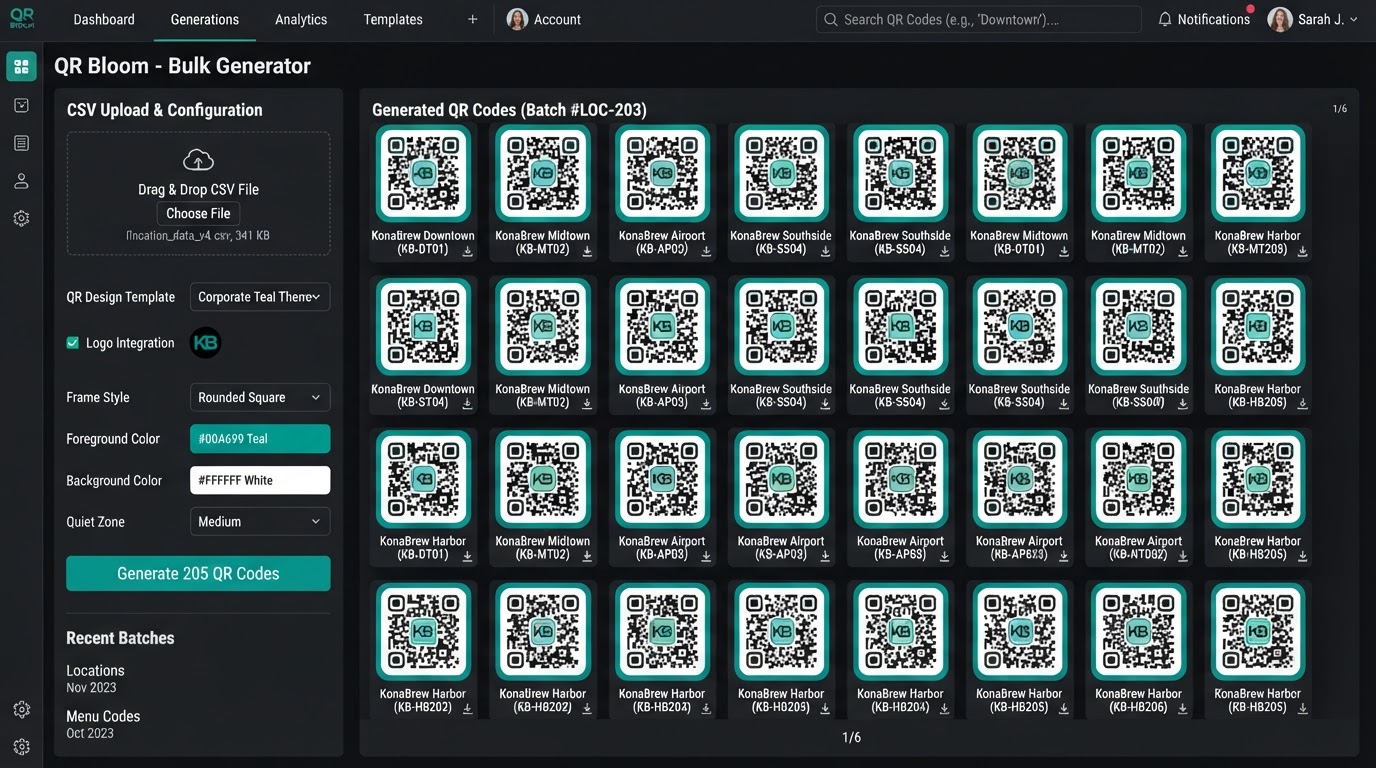
Bulk Franchise Deployment
A marketing agency managing a 50-location restaurant franchise uploads a CSV with each location's name and unique booking funnel URL. The system instantly generates 50 individually branded QR codes — one per location — each tracking its own scans and triggering location-specific follow-up Workflows from a single dashboard.
Frequently Asked Questions
What are QR Codes and how do they replace third-party QR services?+
QR Codes is a native tool built directly into the platform — located under the Sites menu — that lets you create, customize, and track scannable codes without paying for third-party services like Bitly or QR Code Generator. Because it's built into the CRM, every code integrates seamlessly with your funnels, websites, forms, and automation workflows — no external bridges required.
What does 'dynamic destination' mean and why does it matter?+
GoHighLevel QR codes are dynamic, meaning you can change the destination URL at any time inside the builder without generating a new image. If you print a QR code on 1,000 physical flyers, you can redirect where that code points next month without needing to reprint your marketing materials. One printed code, infinite destination updates.
What can I link a QR code to besides a regular URL?+
Instead of just linking to standard web URLs, the tool lets you instantly connect codes to internal CRM assets: review links (Google or Facebook), specific funnel steps or website pages, pre-drafted SMS / email / phone / WhatsApp messages, and lead capture forms, surveys, or payment checkout links. If you change a funnel domain or page slug later, the QR code automatically follows the page.
How customizable are the QR codes visually?+
Fully. You can change the background color, the data dot colors, and the corner marker shapes (square, circle, or rounded). Upload a custom company logo or background image to sit in the center of the code. Add a text border — like 'Scan Here for 10% Off' — around the outside. Every visual element matches your brand identity.
What export formats are available?+
Download codes as a PDF, an SVG for high-resolution professional printing, or a PNG with 100% transparency. You can also save codes directly to Apple Wallet or Google Wallet so customers can keep your offer on their phone. Every format is production-ready for print, digital display, or in-store use.
Can I generate QR codes in bulk for multiple locations?+
Yes. For agencies running campaigns for franchises or multi-location businesses, the bulk creation feature lets you upload a simple CSV file with a list of names and URLs. The system instantly generates thousands of ready-to-download, individually branded QR codes at once — no manual generation required.
How does scan tracking and analytics work?+
The built-in analytics dashboard tracks both total scans and unique scans for every code. Because the scanner lands on a CRM asset, their scan can instantly trigger backend Workflows to automate follow-ups — tag the contact, send a text, notify your sales team, or move them into a pipeline stage. Every scan becomes a measurable, automated touchpoint.